

Insta360 GPS Preview Remote
$1,179.00
Skip to product information

.jpg?x-oss-process=image%2Fauto-orient%2C1%2Fformat%2Cwebp%2Fquality%2Cq_90)


Insta360 GPS Preview Remote
$1,179.00
Details
Compatible models
X5 / X4
Insta360 Ace Pro 2
Insta360 Ace Pro
Insta360 Ace
GPS Preview Remote
GPS Preview Remote
| The content includes: GPS Preview Remote Control x 1 Wristband x 1 General purpose x 1 Charging cable x 1 Disposable double-sided stickers x 4 |
- Adjust settings remotely, preview images instantly, and control the camera.
- Compatible with X4, allowing you to preview the entire panoramic image.
- Utilize different GNSS systems to improve data quality and accuracy (GPS, BeiDou, Galileo, and GLONASS).
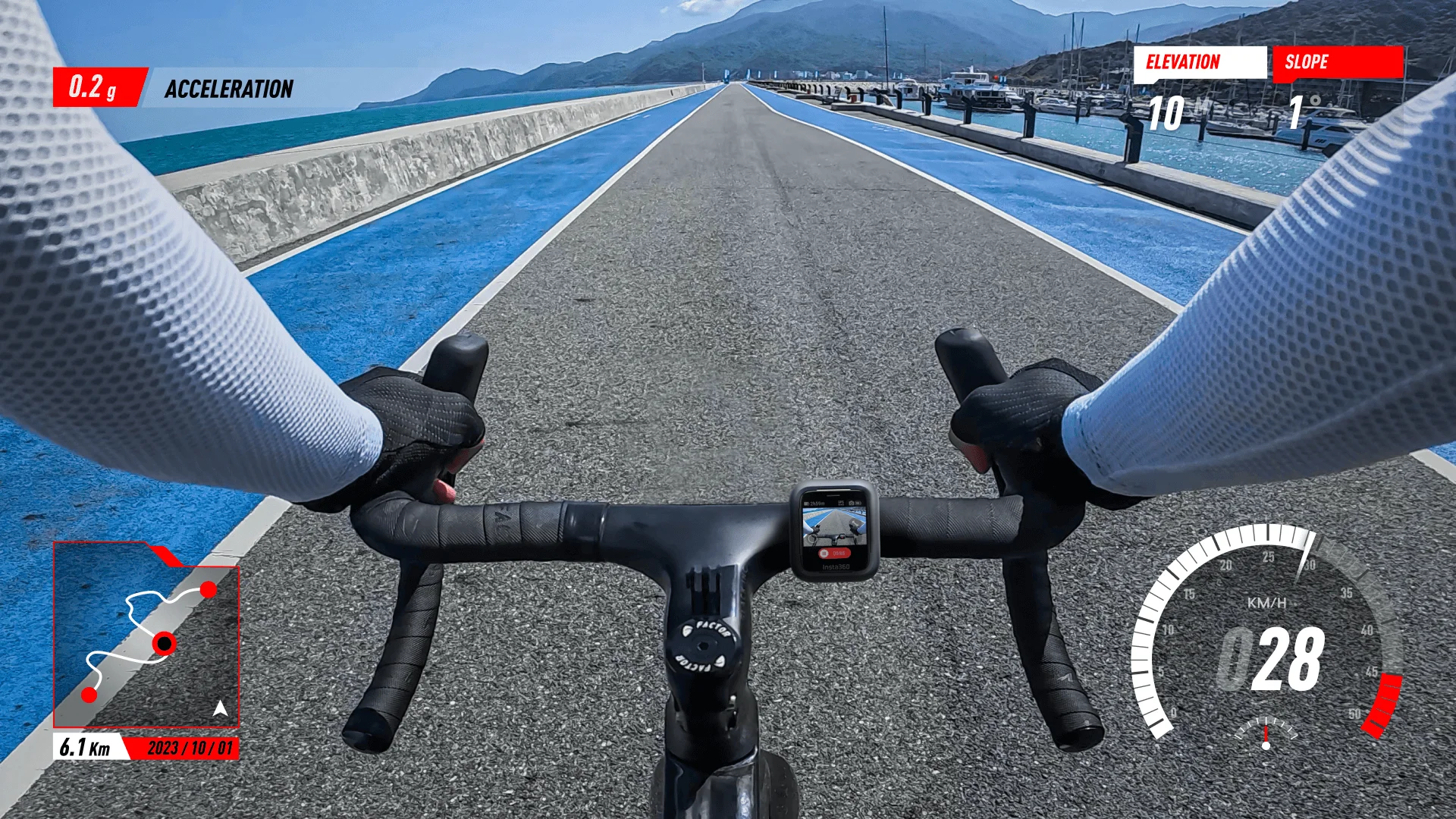
- Add accurate dashboard data to your video using the Insta360 App or Studio.
- The remote control distance is up to 20 meters (65.6 feet), and the preview distance is up to 8 meters (26.2 feet).
- Two adjustable straps provide complete flexibility.
- For the best experience, please update to the latest official firmware.
Remote control and preview are readily available.
Enter accurate data
Collect real-time data such as speed, route, and location. Add it to your videos in the Insta360 App or Studio.
We can review your footage in real time before shooting.
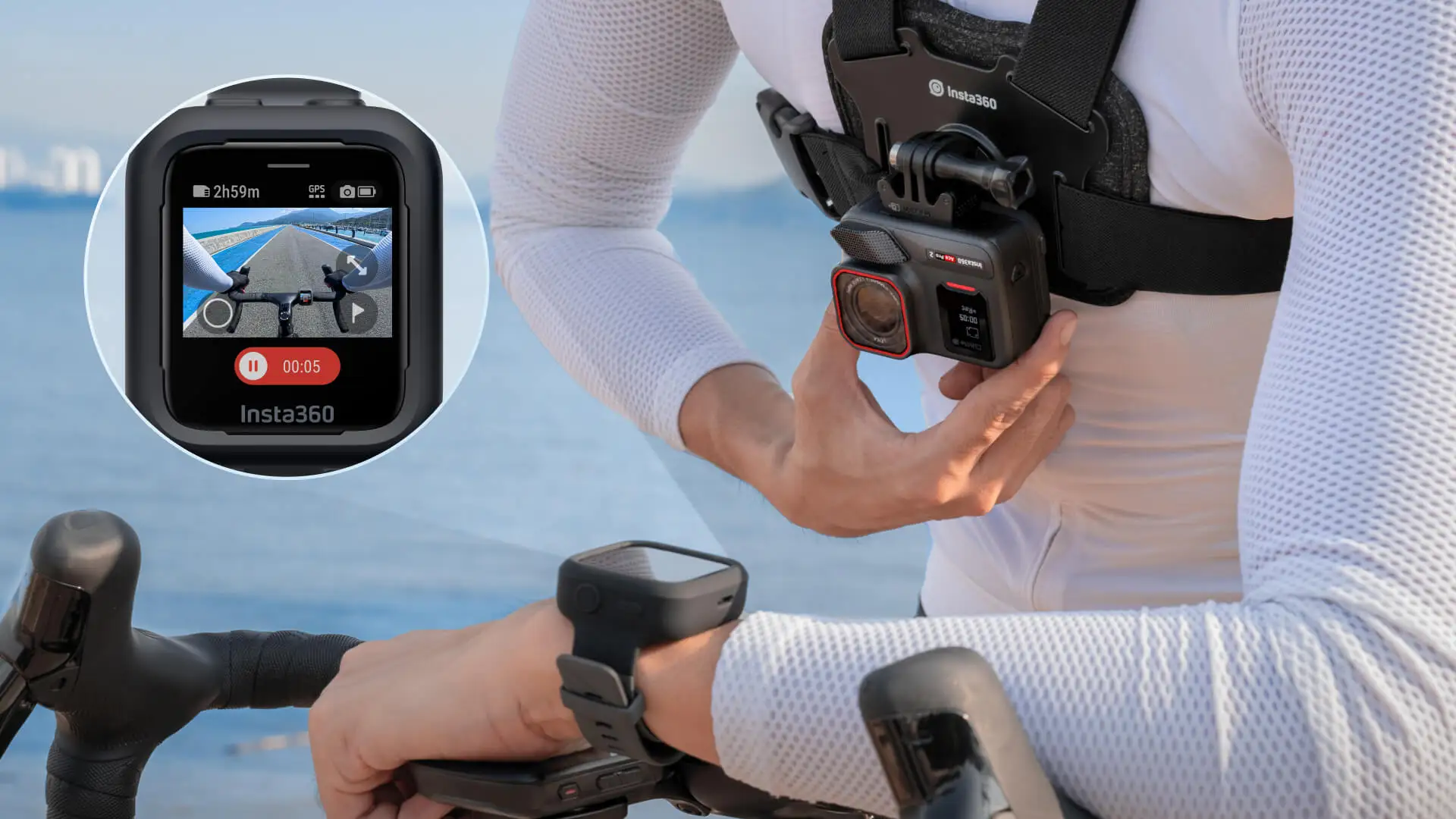
With real-time image preview, you can compose your shot exactly as you want every time.
Real-time preview up to 8m (26.2 ft)
Remote control up to 20m
*This value was measured in an open environment with no signal interference.
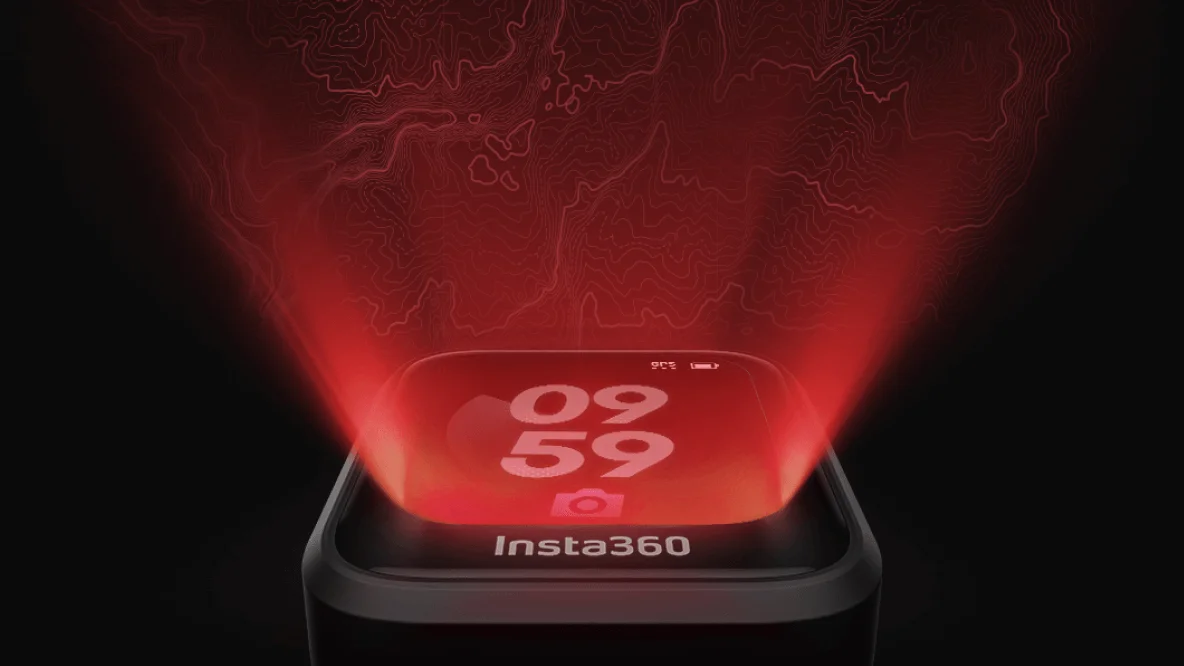
Clear LCD touchscreen
Easily control camera settings and preview the scene instantly; simply swipe to view the entire panorama*! You can even wake up the camera and start shooting by tapping. *Panoramic cameras only.
Real-time GPS data
It integrates GPS, BeiDou, Galileo, and GLONASS systems to accurately record location, route, and speed.
Long-lasting battery
Enhanced battery life ensures continuous power for creative work.
The battery life during previewing is 6 hours.
The battery has a standby time of up to 60 hours.
Note: With screen preview enabled and raise-to-wake feature disabled, battery life can reach up to 6 hours. When the screen is off and in standby mode, battery life can reach up to 60 hours.
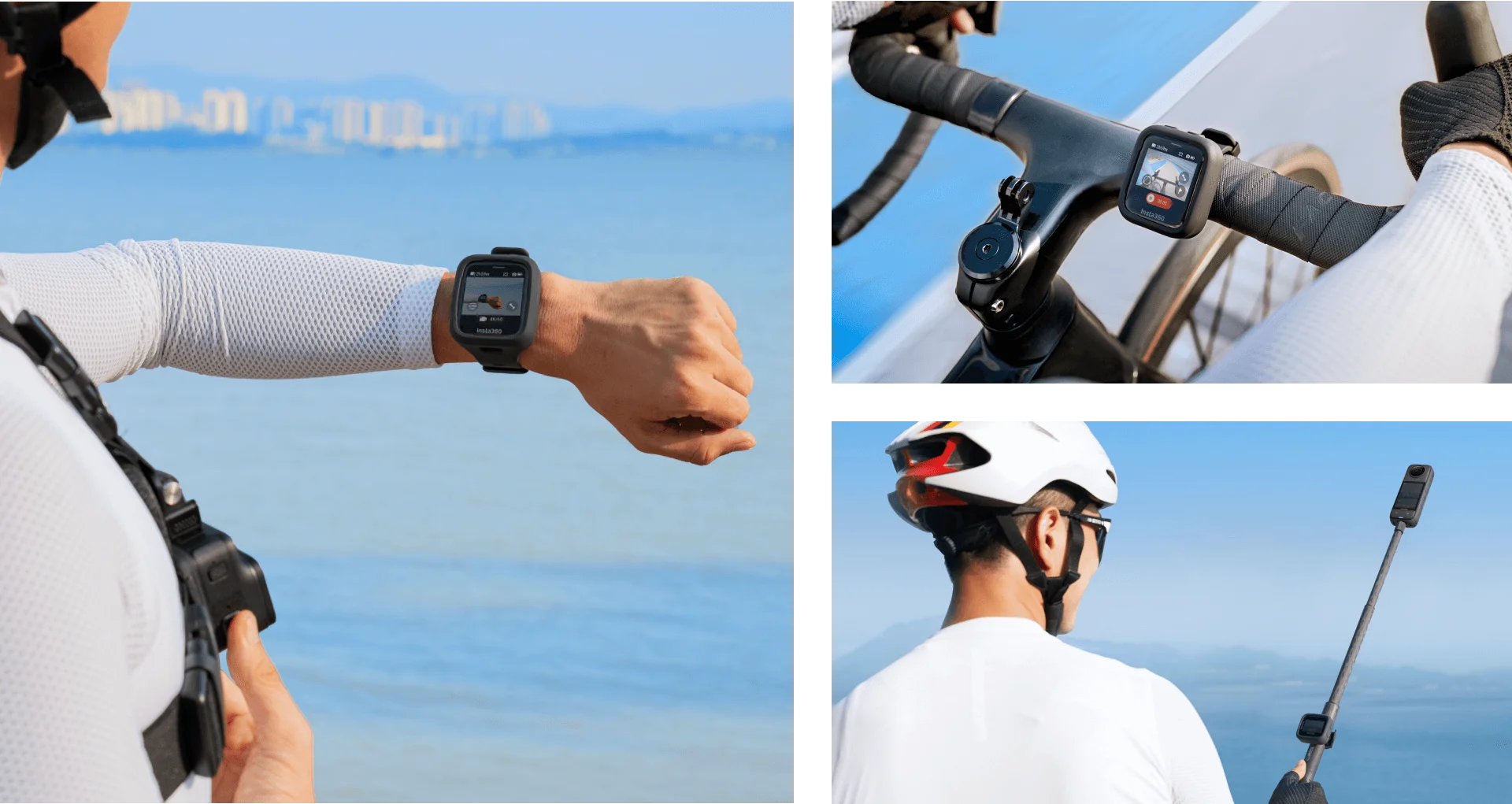
Put it on, install it
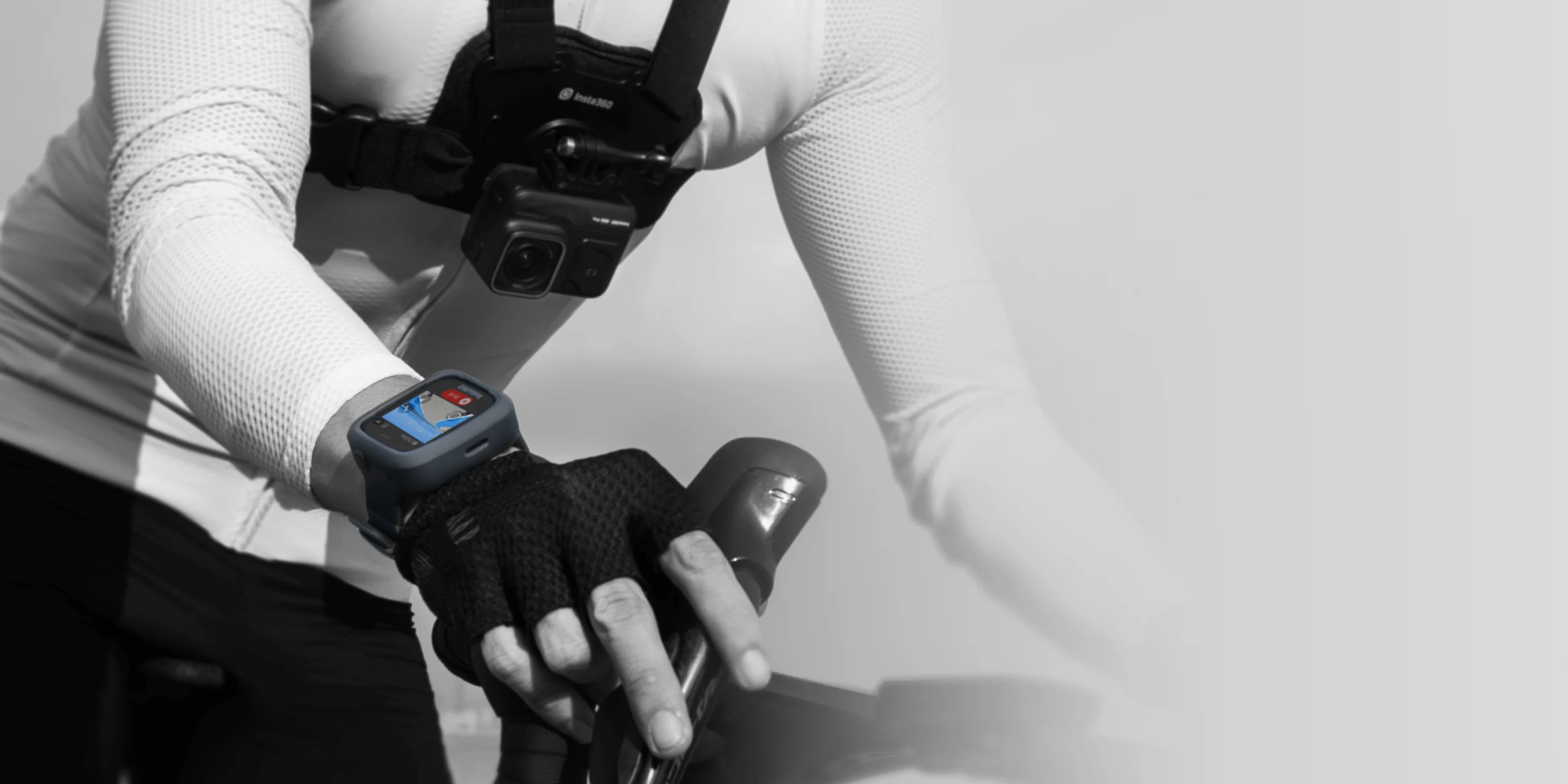
Includes two adjustable straps for maximum flexibility. Wear it on your wrist using the wrist strap, or attach it to handlebars, a hidden selfie stick, etc. using the universal strap.
Firmware upgrade
To maintain a good user experience with your camera and remote, please update your camera firmware to the latest official version. Connect your remote to the Insta360 App to check for the latest firmware version.
How to update firmware:
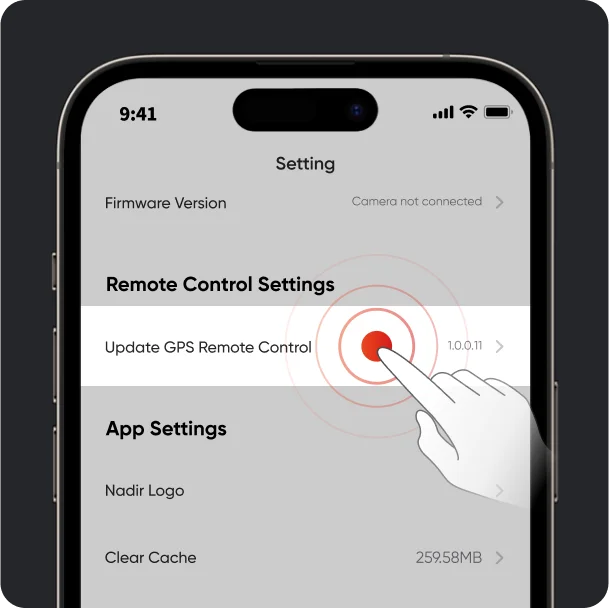
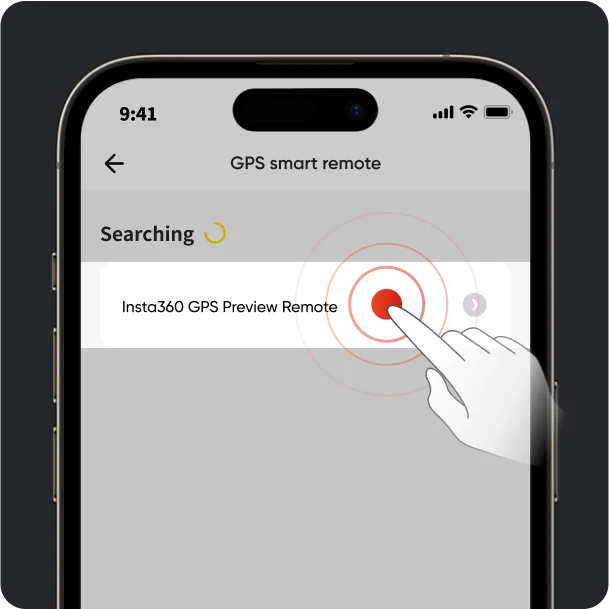
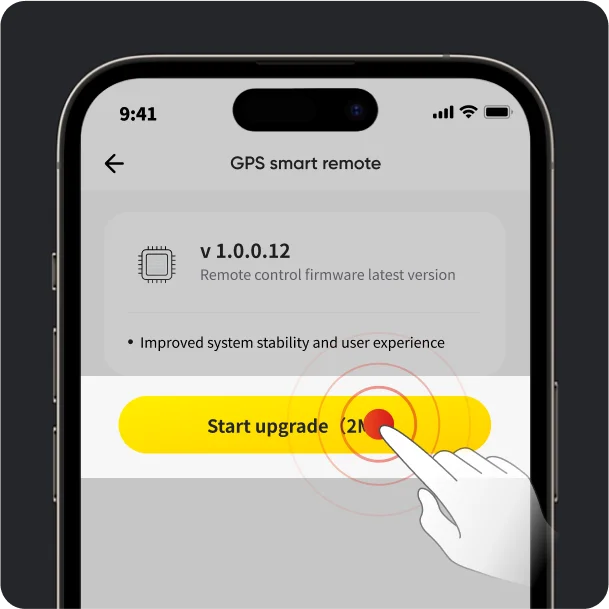
Open the Insta360 app > Settings > Update GPS Remote. Search for and connect to the remote. Once connected, the app will prompt you to update if a new firmware version is available. Please follow the on-screen instructions to update the remote's firmware.
1.
Open the Insta360 App and go to Settings > Update GPS Remote.
2.
Find the remote control on your phone and connect it.
3.
If a firmware update is available, please update the remote control.
4.
The app will automatically download the new firmware and transfer it to the remote control. Ensure your phone screen is on and do not exit the app.
5.
After the transfer is complete, the remote control will automatically restart. It will then automatically turn on and begin the update. You can view the update progress on the remote control's screen. Once the update is complete, you can use the remote control normally.
Product Specifications
Wristband circumference:
14cm-21cm (5.5in-8.3in)
Universal belt diameter:
2cm-3.5cm (0.8in-1.4in)
Work environment:
-20°C to 40°C (-4°F to 104°F)
Charging environment:
0°C to 40°C (32°F to 104°F)
water proof:
IP68 (1.5m/4.9ft depth, for 30 minutes)
Battery:
950mAh
Bluetooth:
Bluetooth 5.0
Operating frequency:
2402-2480MHz
Output power (EIRP):
< 10dBm
Precautions
- This product contains magnets. Keep away from pacemakers and other devices to avoid interference.
- This product can only be used in a temperature range of -20°C to 40°C (-4°F to 104°F).
- If the product is not used for an extended period (e.g., two months or more), the battery may deplete. Please fully charge the product before turning it on.
- Do not drop, disassemble, squeeze, insert foreign objects, or place heavy objects on the remote control, as this may cause damage.
- Do not place the product near heat sources such as stoves and heaters, inside vehicles, or in direct sunlight.
- Dry the product as soon as possible after it comes into contact with water. Do not wear it while swimming or diving.
- Do not use any liquid cleaners on the product. Do not use liquid cleaners to wipe the charging points on the remote control, as this may corrode and rust, affecting the remote control. Clean the product with a soft, dry cloth.
- Before using this product for water sports , please attach a dry, disposable double-sided sticker to the back of the remote control and attach it to the wrist strap or universal strap for enhanced safety.
你也許有興趣看看...